Capture Studios
Professional quality audio and video recording spaces for podcasts, presentations, tutorials, and creative projects.
The Capture Studios at the Center for Learning and Innovation provide students, faculty, and staff with access to professional recording equipment and technology for creating high-quality educational content. Whether you are recording a podcast, creating a video tutorial, filming a presentation, or producing voiceover work, our studios offer the tools and technology you need to bring your projects to life.
A digital badge is required before booking. Covered drinks allowed. No food allowed. See all Capture Studio policies
Walk-up or reserve up to 2 weeks in advance. Use the website to book the room, or use the kiosk at the Information Desk.
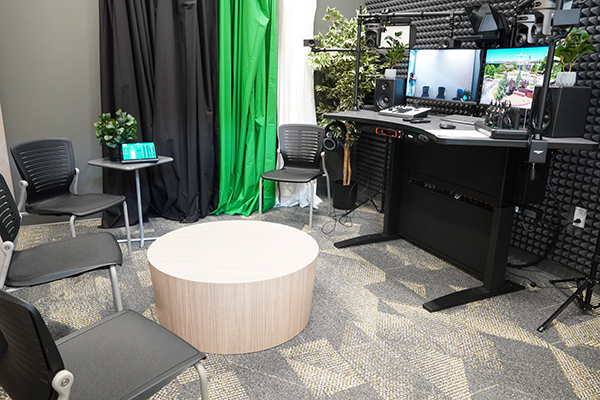
An AI-powered video production space with green screen technology for professional-quality video content.
What You Can Create
- Video presentations and lectures
- Tutorial and demonstration videos
- Green screen projects with custom backgrounds
- Recorded speeches and performances
Equipment and Features
- AI-driven cameras that automatically track and focus on the speaker
- Cameras for static shots
- HD video recording
- Professional lighting setup
- Green screen for background replacement
- Microphones
You must have a Video Capture Studio Digital Badge to reserve this room.
This room is currently offline.
Get Help: Refer to How to Use the Video Capture Studio 19-205 or come to the Information Desk on Floor 1.
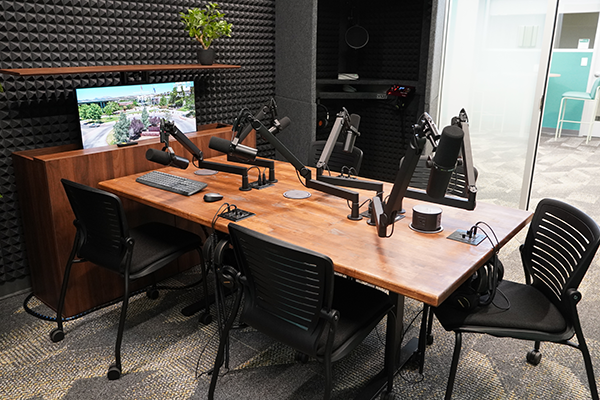
A versatile audio recording space designed for multi-person conversations and high-quality solo recordings.
What You Can Create
- Multi-person podcasts (up to 6 People)
- Panel discussions and roundtable conversations
- Voiceover narration for videos or presentations
- Singing recordings
- Audio book readings
Recording
- Save to flash drive, personal laptop, or YC computer
- Acoustic treatment for clean sound quality
- Input levels automatically balanced
Podcast Table Features
- 6-person recording
- Headsets with individual volume control
- Webcam captures up to 2 people
- Built-in power for charging personal devices
Sound Booth Features
- Solo recording
- Neumann TLM 103 microphone
- Focusrite REDNET X2P preamp
- Pop filter
You must have a Voice Capture Studio Digital Badge to reserve this room.
Get the digital badge Book this studio Book a USB flash drive
Get Help: Refer to How to Use the Voice Capture Studio 19-206 or come to the Information Desk on Floor 1.
Two capture spaces in one room.
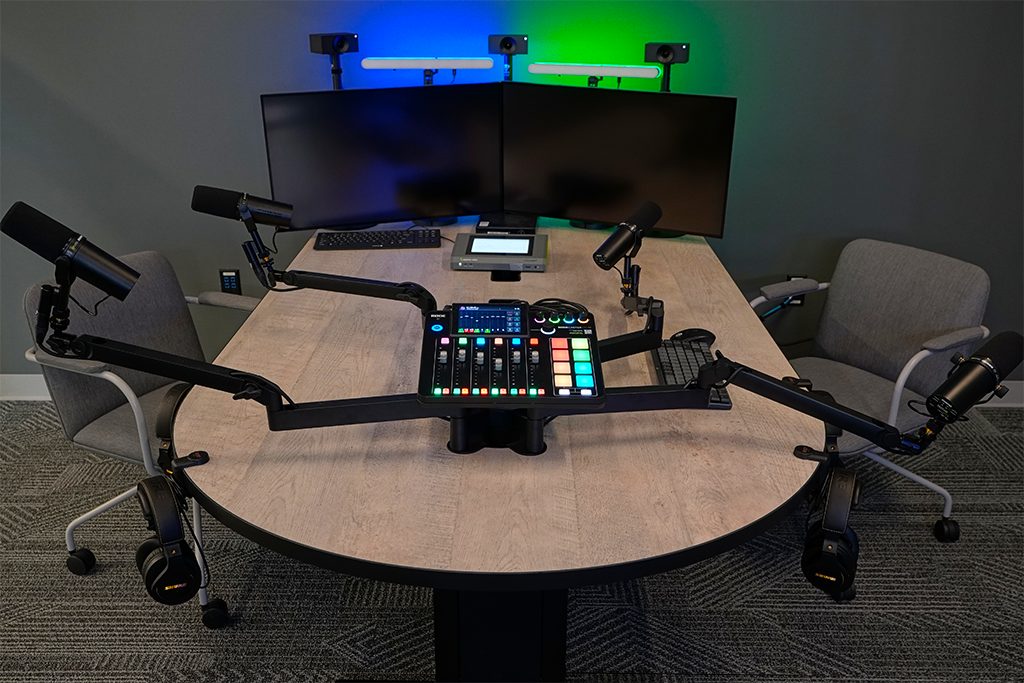
A complete podcast production environment for group conversations and interviews.
What You Can Create
- Multi-person podcasts (up to 4 People)
- Panel discussions and roundtable conversations
- Voiceover narration for videos or presentations
- Audio assignments and oral presentations
- Audio book readings
- Language practice and pronunciation exercises
Equipment and Features
- Recording capacity for up to 4 people
- Individual repositionable microphones and headsets at each station
- 4-channel audio mixer for professional sound control
- 3 HD cameras with AI auto-framing technology that follows the speaker
- HD video recorder
- Bring a USB drive to save files (12 minutes = approximately 500 MB)
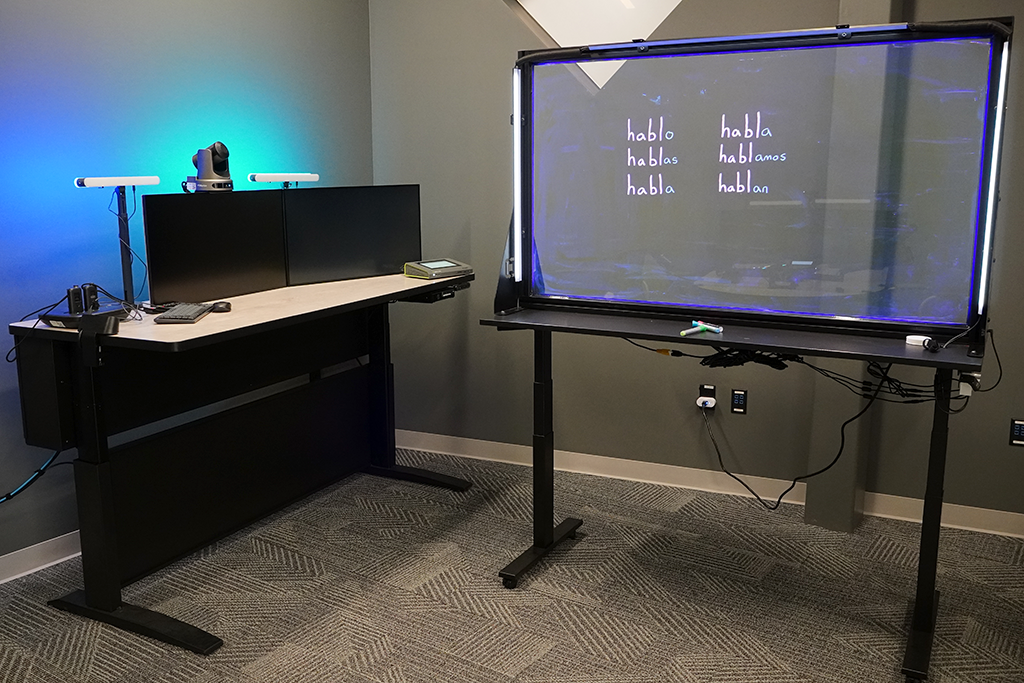
Create engaging instructional videos with transparent whiteboard technology.
What You Can Create
- Math and science tutorials
- Step-by-step instruction videos
- Visual explanations and demonstrations
- Educational content with real-time annotation
- Flipped classroom materials
Equipment and Features
- HD video capture through a transparent whiteboard
- Epiphan Pearl Mini video mixer and HD recorder
- 2 wearable wireless microphones for hands-free recording
- Neon markers for clear, vibrant writing
- Bring a USB drive to save files
Get Help: Refer to How to Use the Fast Capture Studio M-104 or come to the Information Desk.